Home energy · Ranked
Plug-in batteries that dodge peak rates
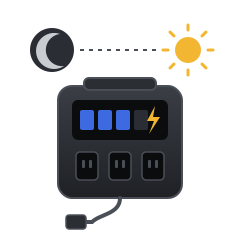
On a time-of-use plan, the same kilowatt-hour can cost twice as much at 6 PM as it does at 2 AM. These batteries plug into a normal outlet, fill up while power is cheap, and run your stuff when it's expensive. No electrician, no permits, no wiring.
See it in action
A 2-minute Associated Press report on renters in New York City using plug-in batteries to run their air conditioners through peak hours.
How it works
Battery arbitrage is simple: buy electricity when it's cheap, use it when it's expensive. The battery fills up overnight at off-peak rates, then powers your appliances during the evening peak so you're not paying top price. Free battery programs exist, but most people won't qualify. Buying your own can still save you real money, especially in high-rate areas like California and anywhere else with high electric bills, where the gap between peak and off-peak prices is biggest.
-
Check for a free battery first
Before you buy, see if your utility will give or lend you one:
- New York: Con Edison customers who rent and use window ACs can get a battery through Every Electric's program, free with a $50 refundable deposit, and earn rewards. Already own a battery? Con Edison's Bring Your Own Battery program may pay you to use it.
- California: PG&E's Residential Storage Initiative installs a free home battery for qualifying customers, while funding lasts. Other utilities: check your electric company's website for battery programs.
Not eligible, or live somewhere else? Go to step 1.
-
Pick the battery that best suits your needs
Think about what you want to run during peak hours. About 1,000 Wh covers a fridge and Wi-Fi through a typical evening peak. About 2,000 Wh adds a TV, lights, and a home office setup. See the rankings.
-
Plug it in and set your rates
Plug the battery into a wall outlet near what you want to power. In the brand's app, turn on its time-of-use mode and enter your utility's peak hours. Many plans peak around 4–9 PM, but check your bill.
-
Plug your appliances into the battery
Move the fridge, TV, router, or home office setup onto the battery's outlets. It passes wall power through to them until the schedule says otherwise.
-
It charges cheap, then covers the peak
The battery refills during off-peak hours. When peak starts, it powers those appliances from the battery so they stop pulling expensive grid power.
-
Repeat every day, automatically
Once it's set, the app runs the schedule daily. Bonus: if the power goes out, those appliances keep running.
Ranked: least to most expensive
Every pick uses long-life LFP batteries and has a built-in schedule mode, so it runs on its own. Prices change often, so tap through for today's price.
-
1
BLUETTI Elite 100 V2
$ · Lowest cost1,024 Wh- Covers during peak
- A fridge plus Wi-Fi, or a TV and lights, through a typical evening peak.
- How it dodges peak rates
- Time Control mode charges from the wall only during off-peak hours, and you choose how much charge to keep in reserve for outages.
- Why it's here
- The cheapest way to try time-of-use savings with a name-brand battery.
-
2
Anker SOLIX C1000 Gen 2
$ · Budget1,024 Wh- Covers during peak
- A fridge plus Wi-Fi, or a TV and lights, through a typical evening peak.
- How it dodges peak rates
- Time-of-Use mode in the Anker app: set your off-peak hours and it recharges then and powers your devices from the battery during peak.
- Why it's here
- Charges full in about 49 minutes, so even a short off-peak window is enough to refill it. Rated for 4,000 cycles.
-
3
EcoFlow DELTA 3 Plus
$$ · Mid-range1,024 Wh- Covers during peak
- A fridge plus Wi-Fi, or a TV and lights, through a typical evening peak.
- How it dodges peak rates
- The EcoFlow app's time-of-use scheduling sets when it charges from the wall and when it runs on battery.
- Why it's here
- Fast backup switchover makes it a good fit for computers and routers, and it can add an extra battery later.
-
4
Anker SOLIX S2000
$$ · Mid-range2,010 WhBest value for daily use- Covers during peak
- A fridge, TV, lights, and a work-from-home setup through the whole evening peak.
- How it dodges peak rates
- Time-of-Use mode lets you map peak, mid-peak, and off-peak windows to your utility's schedule.
- Why it's here
- Rated for 10,000 cycles (about a 15-year design life). That matters here, because time-of-use savings means cycling the battery every single day.
-
5
Anker SOLIX C2000 Gen 2
$$$ · Upper mid-range2,048 Wh- Covers during peak
- A fridge, TV, lights, and a work-from-home setup through the whole evening peak.
- How it dodges peak rates
- Time-of-Use mode uses up to 94% of the battery during peak, then switches back to wall power so it never fully drains.
- Why it's here
- 2,400 W of output handles bigger appliances, and it can add an expansion battery to double capacity.
-
6
BLUETTI Elite 200 V2
$$$ · Premium2,073 Wh- Covers during peak
- A fridge, TV, lights, and a work-from-home setup through the whole evening peak.
- How it dodges peak rates
- Time Control mode charges off-peak and powers your appliances on peak. The BLUETTI app can track how much you're saving.
- Why it's here
- Strongest output on this list (2,600 W) and rated for 6,000 cycles.
-
7
Pila Mesh Home Battery
$$$$ · Most expensive1,600 WhNot on Amazon- Covers during peak
- Built to sit behind one big appliance, like the fridge. Add units for other rooms.
- How it dodges peak rates
- Designed for this from day one: set charge and discharge schedules in the Pila app to match your utility's rates.
- Why it's here
- The most "set it and forget it" option, made to live in your home full time. Costs the most per kWh, and it's sold only by Pila.
What could you save?
A 1,000 Wh battery can shift about 0.9 kWh a day, and a 2,000 Wh battery about 1.8 kWh. Your rates are on your electric bill.
Is it worth it?
Worth it if
- Your peak and off-peak rates are far apart
- You also want backup power for outages
- You rent or can't install a wired home battery
Heads up
- Savings are real but modest. The bigger the gap between your rates, the faster it pays off.
- It only covers what's plugged into it, not whole-home AC or an EV.
Researched October 2026. Features and prices change, so check the listing before you buy.